Positioning your gaming headset correctly is crucial for optimal sound quality, but there’s more to it than just that. Adjusting the volume and equalizer settings can make a significant difference in your gaming experience. However, there are additional steps you can take to further enhance the sound quality and overall comfort of your headset. Stay tuned to discover how you can fine-tune your gaming headset for the best audio performance.
Properly Positioning the Headset
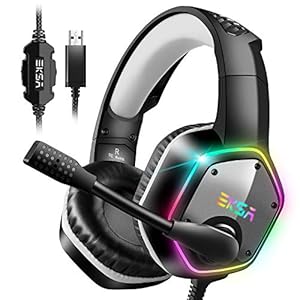
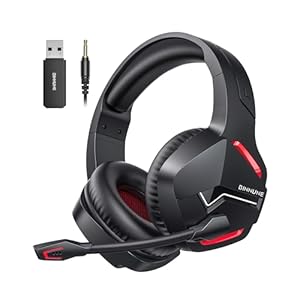
To optimize the sound quality of your gaming headset, adjust its position on your head to ensure proper alignment with your ears. Placing the headset too high or too low can result in distorted sound or reduced audio clarity. Make sure the ear cups are comfortably over your ears, creating a seal to prevent sound leakage. Adjust the headband to ensure a snug fit without being too tight. The microphone should be positioned close to your mouth but not touching it to pick up your voice clearly without breathing noises.
When wearing the headset, check that the left and right ear cups are on the correct sides to experience the audio as intended by the game developers. If your headset has adjustable features such as swiveling ear cups or a flexible microphone arm, take advantage of these to personalize the fit further. By positioning your gaming headset correctly, you can immerse yourself in the game audio and communicate effectively with your team during gameplay.
Adjusting Volume and Equalizer Settings
For optimal sound quality on your gaming headset, adjust the volume and equalizer settings to enhance your audio experience. Start by setting the volume to a comfortable level. Too low, and you may miss important sounds; too high, and you risk damaging your hearing. Find a balance that allows you to hear all the details without causing discomfort.
Next, adjust the equalizer settings to fine-tune the audio output. Most gaming headsets come with preset equalizer modes like ‘bass boost’ or ‘voice clarity.’ Experiment with these presets to see which one suits your preferences. Additionally, some headsets allow you to customize the equalizer settings manually. Boosting the bass can provide a more immersive experience in action-packed games, while enhancing the treble can make dialogue clearer in story-driven games.
Remember to test different settings while playing your favorite games to find the perfect balance. By adjusting the volume and equalizer settings on your gaming headset, you can enjoy a more immersive and personalized audio experience tailored to your preferences.
Ensuring a Secure and Comfortable Fit
Ensure your gaming headset fits securely and comfortably to optimize your gaming experience. Start by adjusting the headband so it rests comfortably on the top of your head without feeling too tight or too loose. The ear cups should fully enclose your ears without pressing too hard against them, providing both comfort and noise isolation. Check that the ear cups are positioned correctly, with the left cup on your left ear and the right cup on your right ear.
Additionally, adjust the microphone boom so it’s at the optimal distance from your mouth, usually around two finger-widths away. This ensures clear communication with your teammates without breathing noises or distortion. Secure any adjustable straps or clips to keep the headset in place during intense gaming sessions.
Minimizing Background Noise
Adjust the position of your gaming headset’s ear cups to effectively minimize background noise and enhance your audio experience. Properly aligning the ear cups over your ears creates a better seal, reducing the amount of external noise that interferes with your gameplay or music. Make sure the ear cups completely cover your ears without any gaps, as this helps in blocking out unwanted sounds.
Additionally, choosing a gaming headset with active noise-cancellation technology can significantly reduce background noise. This feature uses built-in microphones to pick up ambient noise and then produces sound waves to cancel it out, providing you with a more immersive and focused audio experience.
Furthermore, adjusting the volume of your gaming headset can also help in minimizing background noise. By setting the volume to a comfortable level, you can drown out external sounds without having to turn the volume excessively high, which may lead to ear fatigue over time.
Trending Products