
You might be wondering how frequently you should update your gaming console to ensure it performs at its best. The timing of updates plays a crucial role in maintaining the efficiency and security of your gaming system. But, what is the optimal frequency for updating your console? Let’s explore the factors that influence this decision and why it’s essential to strike the right balance when it comes to keeping your gaming experience up to date.
Importance of Regular Updates
Regular updates are crucial for maintaining the performance and security of your gaming console. By regularly updating your console, you ensure that it’s equipped with the latest software patches and improvements. These updates not only enhance the overall gaming experience by fixing bugs and glitches but also help in optimizing the system for better performance.
Security is another key reason why you should stay on top of updates. With each update, developers address vulnerabilities that could potentially be exploited by malicious parties. Keeping your console updated reduces the risk of security breaches and protects your personal information.
Frequent updates also help in ensuring compatibility with the latest games and applications. Game developers often release updates that require the latest console software to run smoothly. By updating your console regularly, you can avoid compatibility issues and enjoy a seamless gaming experience. Remember, staying updated isn’t just about getting new features but also about safeguarding your console from potential threats.
Signs Your Console Needs an Upgrade
To determine if your gaming console needs an upgrade, watch out for indicators signaling that your system may be falling behind in performance and compatibility.
One clear sign that it’s time for an upgrade is if you notice a significant decrease in the speed and responsiveness of your console. If you find that games are taking longer to load, experiencing frequent lags, or crashing more often, these are all red flags that your console may need an update.
Another indication that your console needs an upgrade is if you’re unable to play newer games due to compatibility issues. Newer games may require more advanced hardware capabilities that older consoles may not support.
Additionally, if you start noticing issues with graphics quality, such as pixelation, blurry textures, or frame rate drops, it might be a signal that your console is struggling to keep up with the demands of modern games.
Keep an eye out for these signs to know when it’s time to consider upgrading your gaming console.
Maximizing Performance With Updates
Upgrading your gaming console firmware can significantly boost performance and enhance your gaming experience. Keeping your console updated ensures that you have the latest bug fixes, security patches, and performance improvements. These updates are designed to optimize system stability, speed, and overall functionality. By regularly installing updates, you can enjoy smoother gameplay, faster loading times, and improved graphics quality.
Firmware updates often address issues that may be hindering your console’s performance. Whether it’s optimizing system resources, addressing compatibility issues with new games, or improving network connectivity, these updates play a crucial role in maximizing your gaming experience. Additionally, firmware updates can introduce new features, functionalities, and enhancements that enrich your overall gameplay.
To make the most of your gaming console, it’s essential to stay on top of firmware updates. Check for updates regularly and install them as soon as they become available to ensure that your console is running at its best. By maximizing performance through updates, you can elevate your gaming experience and enjoy your favorite games to the fullest.
Future-Proofing Your Gaming Experience
For a gaming experience that remains cutting-edge and enjoyable for years to come, it’s crucial to invest in future-proofing strategies. To future-proof your gaming experience, consider investing in consoles or hardware that have advanced capabilities and are likely to remain relevant for an extended period. Look for features like 4K compatibility, high refresh rates, and ample storage capacity to ensure your setup can handle upcoming gaming advancements.
Another key aspect of future-proofing is staying informed about industry trends and upcoming technologies. By keeping an eye on emerging gaming trends, you can anticipate changes and make informed decisions about potential upgrades or investments in new gaming technologies.
Moreover, consider choosing gaming consoles or hardware that offer backward compatibility, allowing you to enjoy a wide range of games from previous generations. This feature can extend the lifespan of your gaming setup and ensure you have access to a diverse library of games.
Trending Products
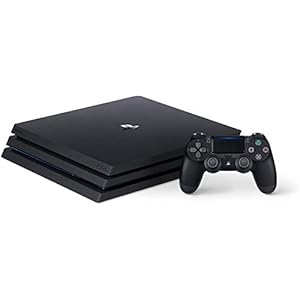
![Playstation SONY 4, 500GB Slim System [CUH-2215AB01], Black, 3003347 (Renewed)](https://m.media-amazon.com/images/I/31aelHds6gL._SS300_.jpg)